

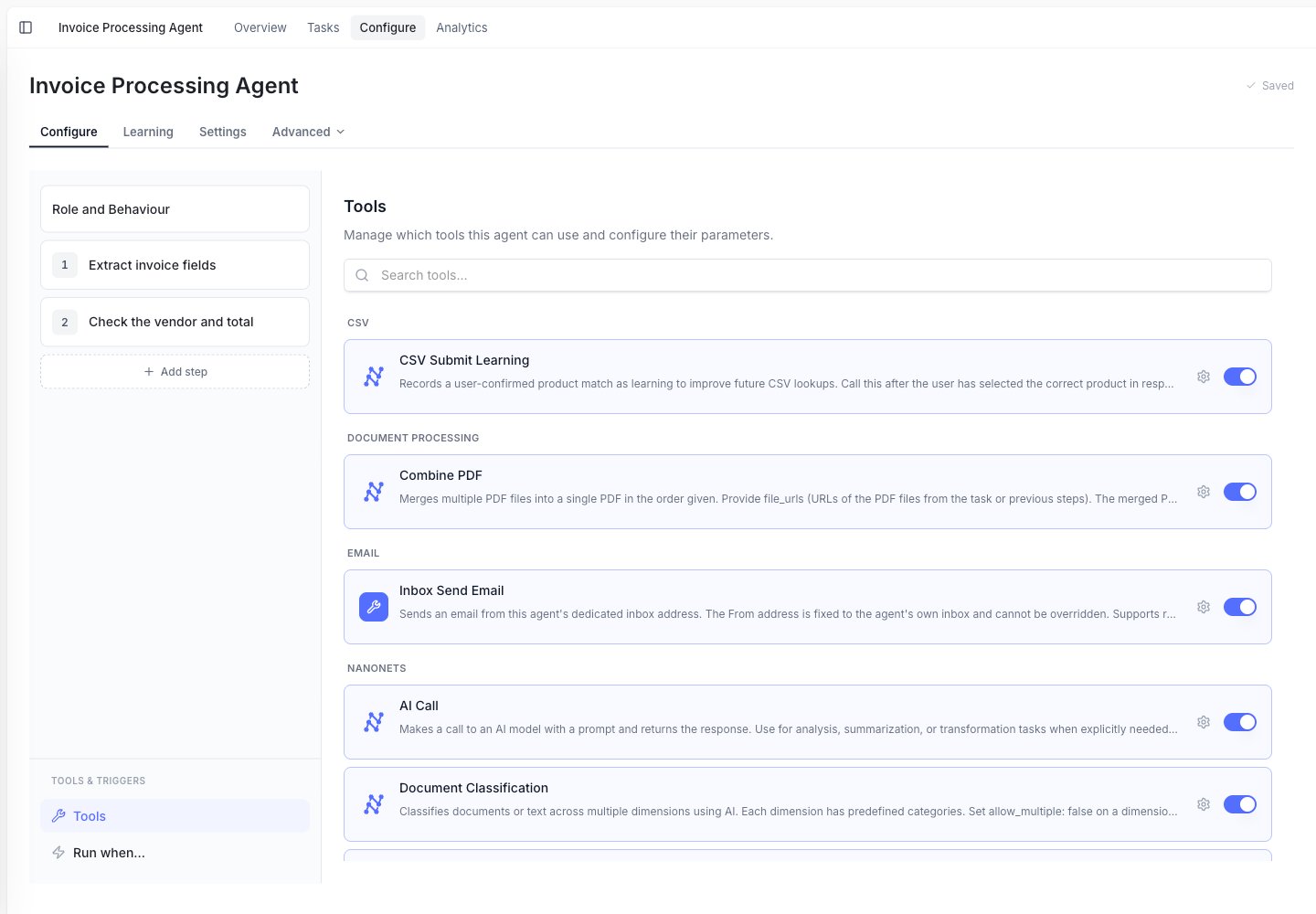
The Tools panel groups tools by category (document processing, email, Nanonets, and more), each with an enable toggle.
Common things agents can do
Read documents
Extract data from invoices, forms, contracts, spreadsheets, emails, and images.
Look up information
Match vendors, customers, products, IDs, and prices from spreadsheets or connected systems.
Export results
Add rows to Google Sheets, upload files to Google Drive, or create records in business systems.
Create files
Generate PDFs, Excel files, Word documents, CSVs, HTML, and Markdown files.
Send messages
Send emails, Slack messages, Teams messages, or SMS updates.
Ask people for help
Pause the task and ask a user for missing information or approval.
Extraction
Extraction means reading a file and turning important parts into clean data. Examples:- Pull invoice number, date, vendor, and total from a PDF.
- Read line items from a purchase order.
- Classify a document as an invoice, receipt, contract, or form.
- Convert tables in a PDF into an Excel file.
Lookup and matching
Lookup means checking information against a trusted source. Examples:- Match “Northwind Traders Inc.” to the correct vendor record.
- Find a product SKU from a product catalog spreadsheet.
- Check whether a customer already exists in your ERP.
- Search reference documents for policy details.
Export and write-back
Export means sending the result somewhere useful. Examples:- Add extracted invoice data to Google Sheets.
- Upload a generated report to Google Drive.
- Create a vendor bill in NetSuite.
- Create or update records in SAP, Sage, or Microsoft Dynamics.
- Send a summary by email or Slack.
Human review
Some work should not be fully automatic. Agents can pause and ask a person when:- A required field is missing.
- A total does not match.
- A payment needs approval.
- A rule says a human must review the result.